Zolyp creates TikTok posts (vertical video with a hook-first caption, or a photo post with its own title) then schedules and publishes them to your connected account, fitted to how TikTok is actually watched.
What Zolyp creates for TikTok
- Vertical video posts
- Photo posts with a dedicated title
- Captions built around the hook
Up to 2,200 characters per post.
What TikTok allows
- Caption limit
- 2,200 characters
- Title
- up to 90 characters
- Images
- JPG, WebP, PNG, GIF
- Max image size
- 20 MB
- Video
- MP4, WebM, MOV
- Max video length
- 10 min
- Posts per day
- 15 per connected account
- Comment replies
- supported
Zolyp writes and crops to these automatically. Every platform’s rules
A boutique fitness studio turns a class highlight into a vertical TikTok clip with a hook-first caption, published without anyone learning a new app.
How it works on TikTok
- 1
Start with an idea
Give Zolyp a topic, point it at your site, or let the plan surface one. You choose which platforms each post is for.
- 2
Lina creates the post, on brand
Working from your Brand Brain, Zolyp writes the caption and designs an on-brand visual, fitted to TikTok. Your voice, your colors, every time.
- 3
Schedule or publish to TikTok
Approve it, and Zolyp schedules or publishes straight to your connected TikTok account. Hand off pillars to autopilot when you trust the output, keeping a veto window.
It stays on brand because every post pulls from Brand Brain, and it all starts in Create.
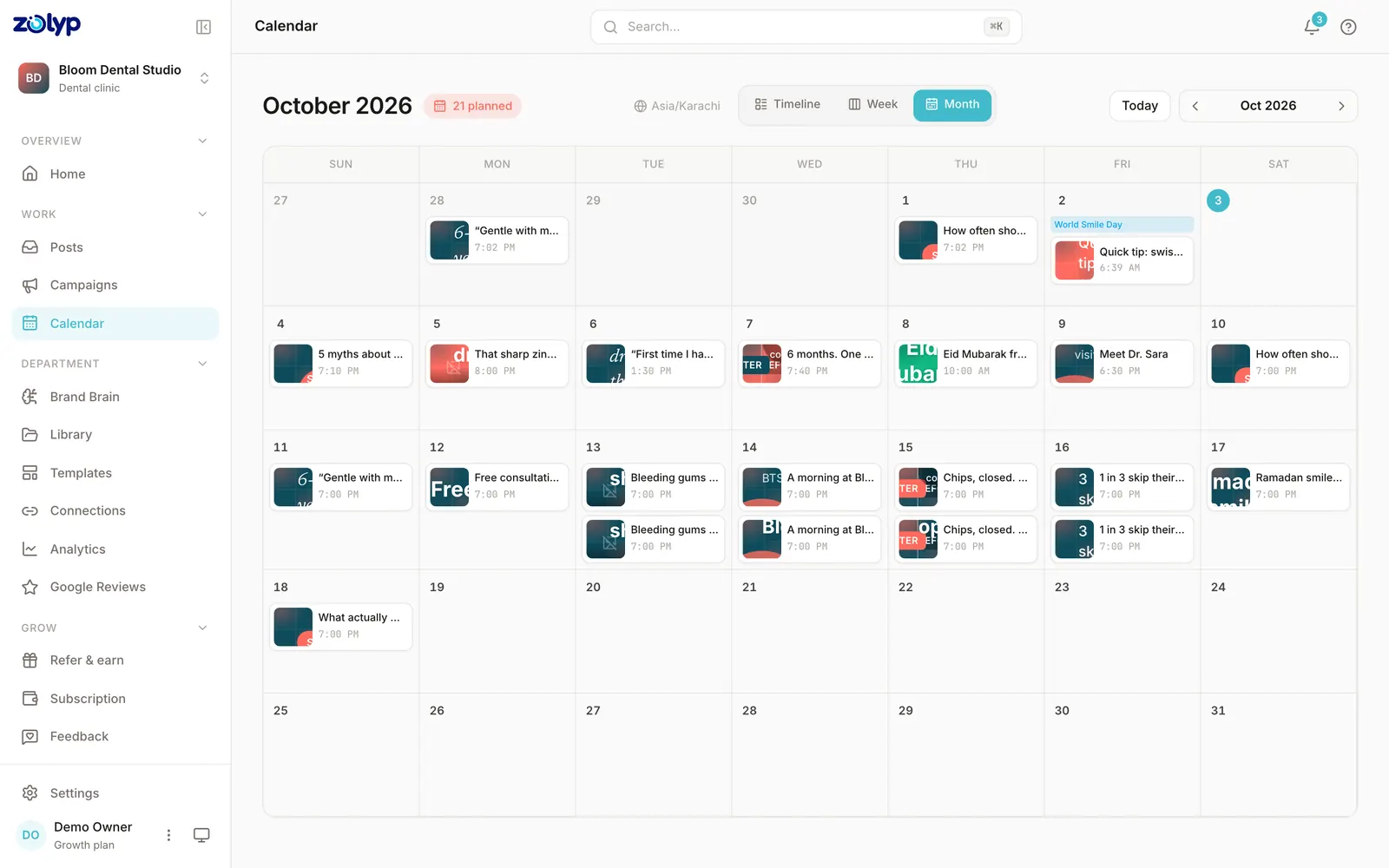
Can you schedule TikTok posts without Zolyp?
Yes. TikTok's built-in scheduler is in TikTok on desktop web. It handles the timing of posts you've already made; planning and writing them is still yours.
- How far ahead
- 15 minutes to 10 days ahead
- Main limit
- Business accounts or 10,000+ followers; a scheduled video can be deleted, not edited
Source: TikTok Support: Schedule video, checked 3 October 2026. Step by step: how to schedule TikTok posts.
TikTok questions
Does Zolyp post to TikTok automatically?
Yes. Connect your account and Zolyp publishes on your approved schedule, with a veto window before anything goes live.
Does TikTok's title work like the caption?
Only for photo posts. On TikTok video, the title field is actually the caption (up to 2,200 characters). Zolyp handles that distinction so nothing gets cut or duplicated.
Can Zolyp remove a TikTok post after it's live?
No, TikTok doesn't expose a deletion API, so a published TikTok post can only be removed from the TikTok app itself, the same as Instagram.
What is the caption limit for TikTok posts?
TikTok allows up to 2,200 characters per caption, and titles up to 90 characters. Zolyp writes and trims each TikTok post to fit, so nothing is cut off when it publishes.
Can Zolyp publish images and video to TikTok?
Zolyp publishes images (JPG, WebP, PNG, GIF, up to 20 MB) and video (MP4, WebM, MOV, up to 10 min) to TikTok. Media that breaks a rule is flagged before the post is queued, not when it fails to publish.
How many posts a day can Zolyp publish to TikTok?
Up to 15 per connected TikTok account. Zolyp checks the cap before a post is queued, so a busy week doesn't fail on the platform's side.
Can Zolyp reply to TikTok comments?
Yes. You can read, reply to, and delete comments on your TikTok posts from the post details drawer in Zolyp.
More on TikTok
- How to schedule TikTok posts: the native way and with Zolyp
- How to post on TikTok from the app or a computer
- TikTok business account: how to switch and what changes
- How the TikTok algorithm works, according to TikTok
- TikTok analytics: where to find them and what to watch
- TikTok photo mode: how to post a photo carousel
- TikTok Duet and Stitch: how to make them and who can use yours
- Getting started on TikTok as a small business: account, first videos, first month
- TikTok video size: dimensions, length and file limits
- TikTok captions and hashtags: length limits and what TikTok advises
- TikTok trending sounds: how to find them and use them legally
- How to go LIVE on TikTok
- How to add a link in your TikTok bio
- How to repost on TikTok, and how to undo it
- How to change your TikTok username
- TikTok auto captions: how to add, edit and turn them off
- TikTok Promote: how to boost a video or LIVE
- How to use TikTok Creative Center
- How to download your TikTok data
- How to get verified on TikTok
- TikTok account hacked: how to recover and secure it
- TikTok video removed: how to appeal and check your account status
- How to filter, turn off and delete TikTok comments
- How to make a playlist on TikTok
- How to post a TikTok Story
- TikTok Spark Ads: what they are and how to set them up
- How to advertise on TikTok with Ads Manager
- How to set up the TikTok Pixel
- TikTok Business Center: how to set it up and add your team
- TikTok lead generation ads: how to set up Instant Forms
- TikTok ad rejected? How ad review works and how to fix it
- How to pay for TikTok ads
- TikTok ads targeting: audiences, interests and lookalikes
- TikTok Search Ads: how to set up a Search Ads Campaign
- TikTok automatic messages: welcome messages and keyword replies
- TikTok split test: how to A/B test your ads
- TikTok Smart+ campaigns: what they are and how to set one up
- TikTok Ads Manager reports: custom reports, metrics and exports
- TikTok attribution window: options, defaults and how to set it
- TikTok One Creator Marketplace: how to find creators for your brand
- How to open a TikTok Shop: requirements and sign-up steps
- TikTok Instant Page: how to create a landing page in Ads Manager
- TikTok bidding strategies and the learning phase explained
- TikTok branded content toggle: how to disclose paid partnerships
- TikTok Events API: what it is and how to set it up
- How to create a TikTok catalog for Catalog Ads
- TikTok GMV Max: how to set up Product GMV Max for TikTok Shop
- TikTok Symphony Creative Studio: how to make AI videos
- TikTok carousel ads: specs and how to create them
- How to manage comments on TikTok ads: hide, block and turn off
- TikTok Shop affiliate programme: how sellers work with creators
- TikTok marketing strategy: a one-page plan for small businesses
- TikTok content ideas for business: 30 videos you can film this month
- How to write TikTok hooks that stop the scroll
- TikTok SEO: how to get your videos found in TikTok search
- How to use TikTok trends as a brand, and when to skip them
- TikTok for B2B: what to post when you sell to other businesses
- How to grow on TikTok from zero followers
- How to turn TikTok views into customers
- The best time to post on TikTok in 2026
- TikTok statistics for 2026
- Write TikTok posts free with the AI post generator
- Check your TikTok caption against the 2,200-character limit
- TikTok publishing rules, limits and requirements
- Every platform Zolyp publishes to
Put TikTok on autopilot
Start free and see a week of TikTok posts planned, written, and designed before you pay anything.
Start free for 3 days