Zolyp creates YouTube posts (video uploads and Shorts, with a title and description written for search) then schedules and publishes them to your connected channel, and can set a custom thumbnail on a standard video.
What Zolyp creates for YouTube
- Video uploads, Shorts included
- Custom thumbnails for standard videos
- Titles and descriptions written for search
Up to 5,000 characters per post.
What YouTube allows
- Caption limit
- 5,000 characters
- Title
- up to 100 characters
- Images
- not supported
- Video
- any video format
- Posts per day
- 10 per connected account
- Comment replies
- supported
Zolyp writes and crops to these automatically. Every platform’s rules
A home-services contractor turns a project walkthrough into a standard YouTube video with a custom thumbnail, published without anyone digging through Studio settings.
How it works on YouTube
- 1
Start with an idea
Give Zolyp a topic, point it at your site, or let the plan surface one. You choose which platforms each post is for.
- 2
Yoongi creates the post, on brand
Working from your Brand Brain, Zolyp writes the caption and designs an on-brand visual, fitted to YouTube. Your voice, your colors, every time.
- 3
Schedule or publish to YouTube
Approve it, and Zolyp schedules or publishes straight to your connected YouTube account. Hand off pillars to autopilot when you trust the output, keeping a veto window.
It stays on brand because every post pulls from Brand Brain, and it all starts in Create.
How do you schedule YouTube Shorts?
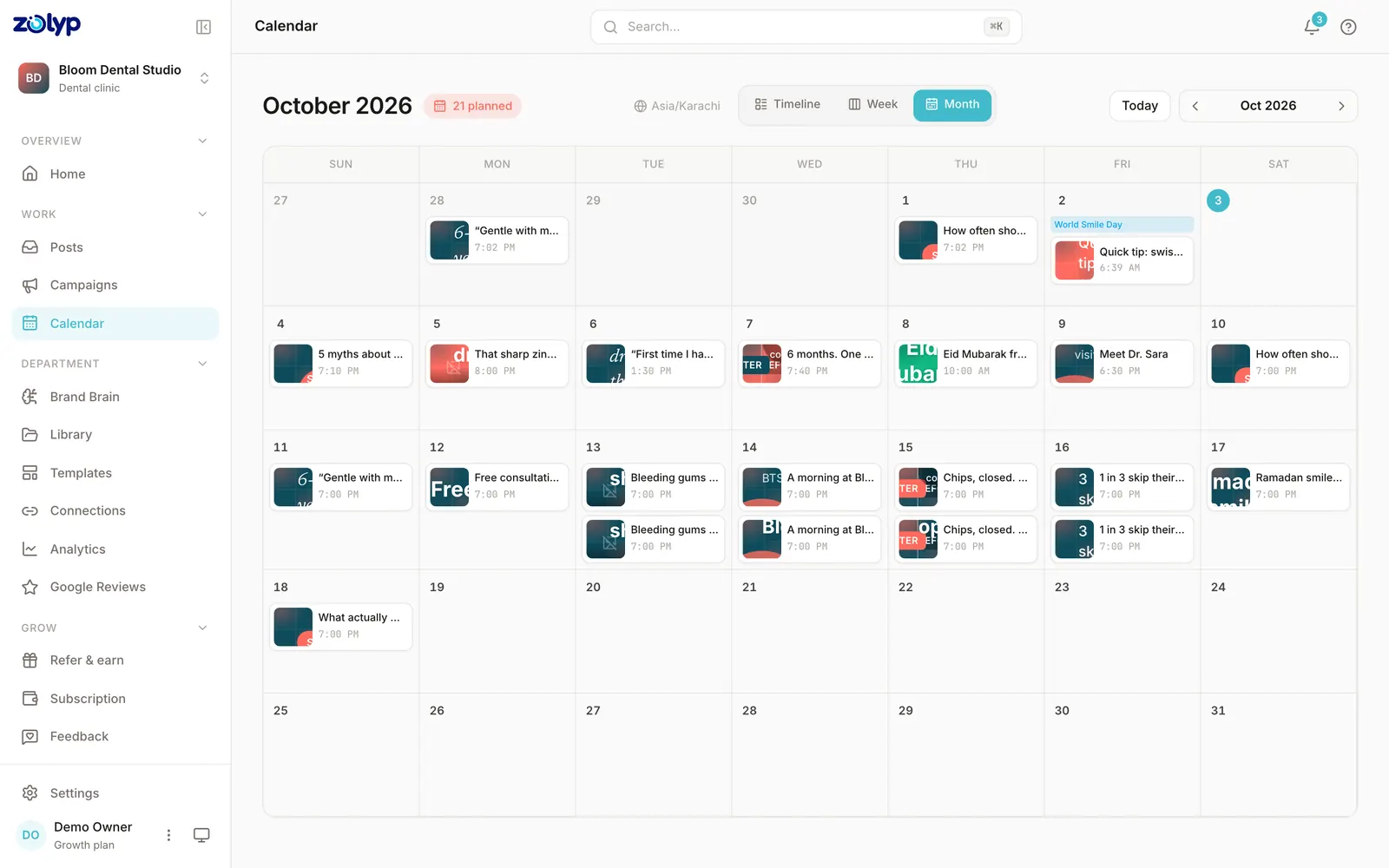
YouTube Studio on a computer takes Shorts through the same upload flow as any other video, and that flow ends with a Schedule option. A Short is a file up to 3 minutes long with a square or vertical aspect ratio. Until its time, the Short stays private. Zolyp does the same from its calendar: it writes the title and description, and publishes the Short to your channel at the slot you approve.
- Sign in to YouTube Studio and click Create, then Upload videos.
- Select a file up to 3 minutes long, in a square or vertical aspect ratio, and fill in the details.
- On the visibility step, choose Schedule, then pick the date, time and time zone.
- Click Schedule. The Short stays private until then, and you can change the time from Content while it's still private.
Source: YouTube Help: Upload YouTube Shorts (computer) and Schedule video publish time, checked 15 October 2026
Can you schedule YouTube posts without Zolyp?
Yes. YouTube's built-in scheduler is in YouTube Studio or the YouTube app. It handles the timing of posts you've already made; planning and writing them is still yours.
- How far ahead
- Not stated by YouTube
- Main limit
- The video stays private until its time, and won't publish during a strike's penalty period
Source: YouTube Help: Schedule video publish time, checked 3 October 2026. Step by step: how to schedule YouTube posts.
YouTube questions
Does Zolyp publish to YouTube automatically?
Yes. Connect your channel and Zolyp publishes on your approved schedule, with a veto window before anything goes live.
Can Zolyp set a custom thumbnail on YouTube?
Yes, on a verified channel. It's meant for standard videos and may not apply to Shorts. Zolyp can set or replace one after publish.
How do I connect my YouTube account?
From Connections: click Connect and sign in.
What is the caption limit for YouTube posts?
YouTube allows up to 5,000 characters per caption, and titles up to 100 characters. Zolyp writes and trims each YouTube post to fit, so nothing is cut off when it publishes.
Can Zolyp publish images and video to YouTube?
Zolyp publishes video (any video format) to YouTube. YouTube posts from Zolyp don't support images. Media that breaks a rule is flagged before the post is queued, not when it fails to publish.
How many posts a day can Zolyp publish to YouTube?
Up to 10 per connected YouTube account. Zolyp checks the cap before a post is queued, so a busy week doesn't fail on the platform's side.
Can Zolyp reply to YouTube comments?
Yes. You can read, reply to, and delete comments on your YouTube posts from the post details drawer in Zolyp.
More on YouTube
- How to schedule YouTube posts: the native way and with Zolyp
- YouTube Studio: a plain guide for business channels
- How to upload YouTube Shorts
- How to start a YouTube channel for your business
- YouTube SEO: what YouTube itself says helps
- YouTube thumbnail size and requirements
- YouTube Analytics: a guide for small businesses
- YouTube community posts: how posts work now
- How to add chapters to a YouTube video
- YouTube end screens and cards: how to add them
- How the YouTube algorithm works, according to YouTube
- How to make a YouTube playlist
- How to go live on YouTube
- How to add subtitles and captions on YouTube
- How to change your YouTube channel name and handle
- How to verify a YouTube channel
- How to add links on YouTube
- YouTube banner size and how to change it
- How to get monetised on YouTube: Partner Program requirements
- YouTube unlisted vs private vs public: privacy settings explained
- How to premiere a video on YouTube
- YouTube copyright claims and strikes: what they mean and how to fix them
- How to recover a hacked YouTube channel
- How to manage comments on YouTube
- YouTube video size, format and upload limits
- YouTube made for kids: what it means and how to set it
- YouTube AI disclosure: when you must label AI content
- How to embed a YouTube video on your website
- How to delete or hide a YouTube channel
- How to transfer ownership of a YouTube channel
- YouTube Community Guidelines strikes: warnings, penalties and appeals
- How to edit a YouTube video after uploading it
- How to A/B test YouTube thumbnails and titles
- How to promote a YouTube video with Promote
- YouTube age restriction: what it means and how to set or appeal it
- YouTube Audio Library: how to find and use free music for your videos
- How to download your own YouTube videos
- How to add a YouTube channel trailer and customise your Home tab
- How to see who subscribed to your YouTube channel
- YouTube paid promotion: how to disclose branded content and sponsorships
- How to translate YouTube videos: titles, descriptions and dubbed audio
- YouTube upload defaults: how to set default settings and bulk edit videos
- How to set up YouTube Shopping: connect your store and tag products
- How to start a podcast on YouTube
- YouTube ad formats explained
- How to link your YouTube channel to Google Ads
- YouTube limited ad earnings: what it means and how to appeal
- YouTube video stuck uploading or processing: causes and fixes
- How to set up YouTube channel memberships
- How to turn on Super Thanks and Super Chat on YouTube
- How to report a YouTube channel impersonating you or your business
- YouTube marketing strategy for small businesses: a one-page plan
- YouTube Shorts strategy for small businesses: what to post and how to make it count
- YouTube video ideas for businesses: 36 ideas grouped by what you want
- How to grow a YouTube channel for your business
- YouTube for local businesses: how to get found by nearby customers
- How to script a YouTube video for your business
- How to repurpose a YouTube video into Shorts and social posts
- How to make YouTube videos with your phone: a small-business setup
- The best time to post on YouTube in 2026
- YouTube statistics for 2026
- Write YouTube posts free with the AI post generator
- Check your YouTube caption against the 5,000-character limit
- YouTube publishing rules, limits and requirements
- Every platform Zolyp publishes to
Put YouTube on autopilot
Start free and see a week of YouTube posts planned, written, and designed before you pay anything.
Start free for 3 days