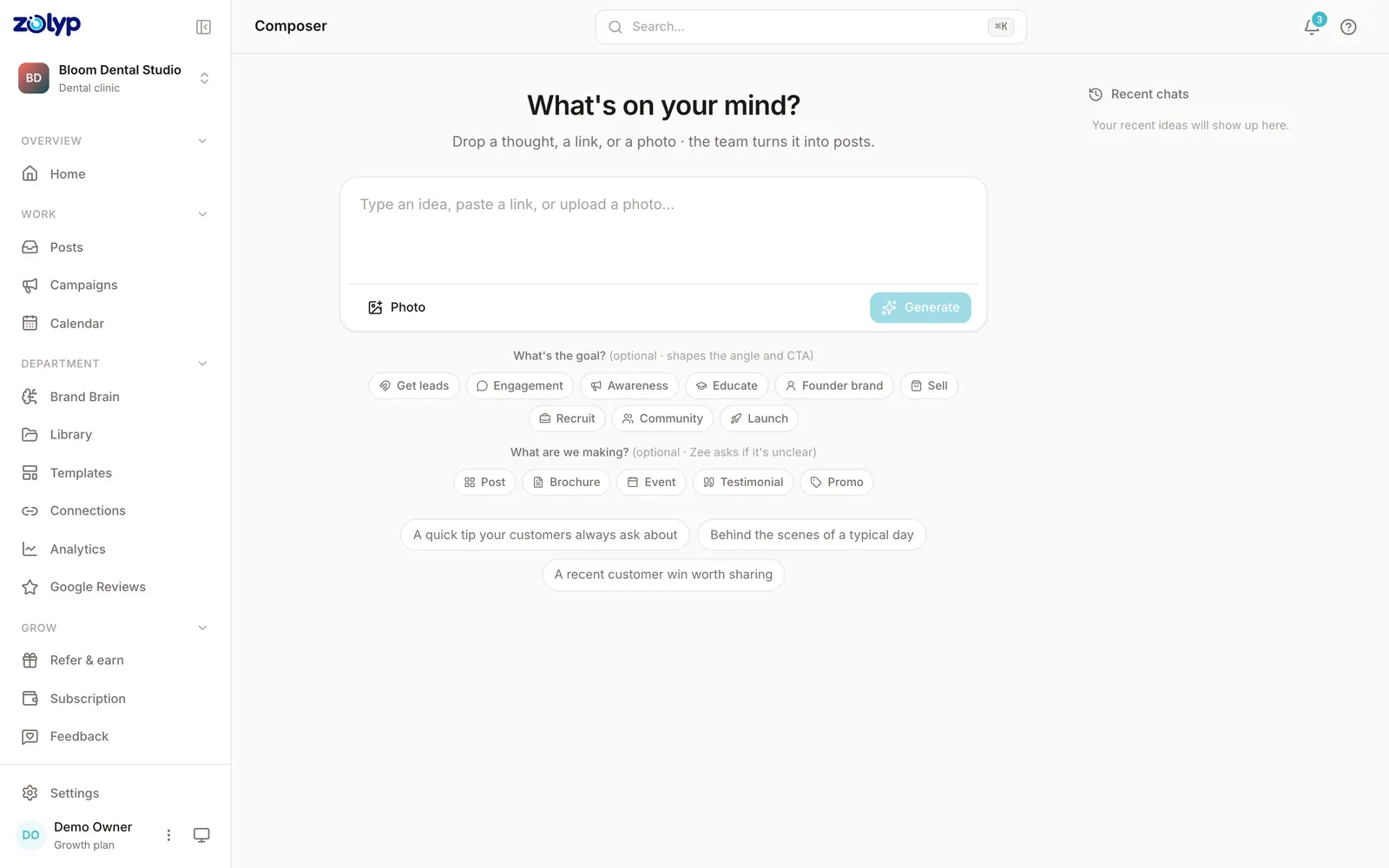
Type an idea, or pick a topic.
Give Zolyp a brief, choose a topic, or point it at your site. Add your own photos or pull from your brand gallery, and choose which platforms each post is for.
Create
Create is Zolyp's social media post generator. Tell it what you want to say, and it writes the caption, designs the visual, and fits the post to each platform you publish to.
Why it matters
You don't need another empty calendar. You need to get past the blank box · what do I even say today? Most tools hand you a cursor and wish you luck. Zolyp does the thinking for you.
How it works
Give Zolyp a brief, choose a topic, or point it at your site. Add your own photos or pull from your brand gallery, and choose which platforms each post is for.
Ask for up to six posts at once. Zolyp writes the caption, designs an on-brand visual, and adds the hashtags, all in your brand voice.
Keep the ones you like, tweak them, or discard and generate more. Publish now or drop it on your calendar. Nothing goes live without your sign-off.
Your standards, not a template
Create pulls from Brand Brain: how you talk, what you never say, your colors, and your CTAs. You are not prompting a stranger every time. You are briefing a team that already knows the brand.
Words that match how you actually write
Visuals that follow your colors and logo
Formats ready for each platform
Platforms
Create formats each post for the network it goes to · not the same caption pasted five times.
From customers
“We stopped treating social like a second job. Posts show up ready · and they already sound like us.”
Autopilot
Hand pillars to the team · they plan, create, and publish on your schedule.
Composer
Your chat with Zee · where ideas become posts without a blank page.
Calendar
A living content calendar planned around your pillars · not an empty grid.
Post
Yoongi ships approved posts to every connected account · on time.
Analyze
Pareesa turns numbers into a clear Friday report · not another dashboard maze.
Brand Brain
Tone, colors, banned topics, and CTAs · the source of truth every post pulls from.