Start from a real plan.
Olivia balances pillars and platforms so you're not posting the same thing five days in a row.
Calendar
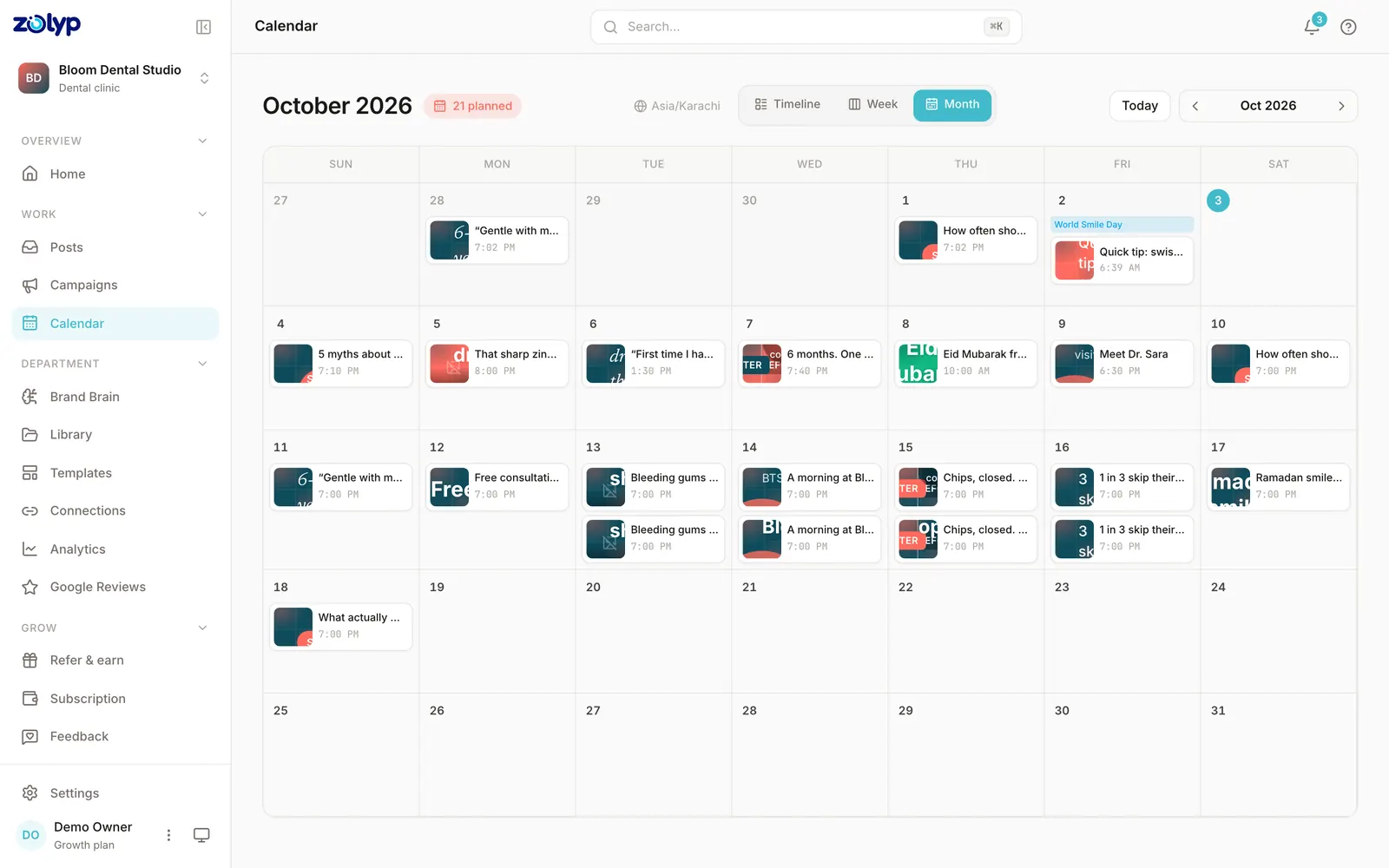
Calendar is your social media content calendar, already filled in: the plan your Zolyp team built, balanced across pillars, platforms, and the moments that matter.
Why it matters
You don't need more slots to fill. You need a month that already makes sense · then the freedom to move things when the week shifts.
How it works
Olivia balances pillars and platforms so you're not posting the same thing five days in a row.
Reschedule, swap, or pull a post. The rest of the week recalibrates instead of collapsing.
See what's approved, what's waiting, and what's already live, in one view.
Planning that ships
Every cell is a real post in the system · not a reminder to "make something later."
Pillar-balanced weeks
Drag-and-drop rescheduling
Queue and live status at a glance
Platforms
Calendar formats each post for the network it goes to · not the same caption pasted five times.
A social media content calendar is a plan of what you will post, where, and when, usually a month at a time. Whether you build it by hand or let Zolyp build it, the same five steps make it hold up.
In Zolyp the first three steps arrive done: Olivia plans the month around your pillars and platforms, Lina writes and designs each slot, and the calendar shows every post's status from draft to live. Drag any post to a new time and its queued publish time updates directly.
See a filled month in the free Instagram content calendar template →A slot is only useful if someone can publish from it without asking a question. Each one should carry:
From customers
“We stopped treating social like a second job. Posts show up ready · and they already sound like us.”
Create
From a sentence to a full post · caption, visual, and hashtags.
Autopilot
Hand pillars to the team · they plan, create, and publish on your schedule.
Composer
Your chat with Zee · where ideas become posts without a blank page.
Post
Yoongi ships approved posts to every connected account · on time.
Analyze
Pareesa turns numbers into a clear Friday report · not another dashboard maze.
Brand Brain
Tone, colors, banned topics, and CTAs · the source of truth every post pulls from.