Zolyp plans your Instagram content calendar, then fills it in. It writes the caption, designs an on-brand visual, adds the hashtags, and publishes to your connected account. Every post is written against your Brand Brain and built for the feed, so the calendar arrives already done rather than empty and waiting for you.
What Zolyp creates for Instagram
- Reels and Stories
- Photos and carousels
- Captions with hashtags and alt text
Up to 2,200 characters per post.
A real example
A local studio turns its class schedule into a week of carousels and single posts, published at the times its audience is actually online.
How it works on Instagram
- 1
Start with an idea
Give Zolyp a topic, point it at your site, or let the plan surface one. You choose which platforms each post is for.
- 2
Lina creates the post, on brand
Working from your Brand Brain, Zolyp writes the caption and designs an on-brand visual, fitted to Instagram. Your voice, your colors, every time.
- 3
Schedule or publish to Instagram
Approve it, and Zolyp schedules or publishes straight to your connected Instagram account. Hand off pillars to autopilot when you trust the output, keeping a veto window.
It stays on brand because every post pulls from Brand Brain, and it all starts in Create.
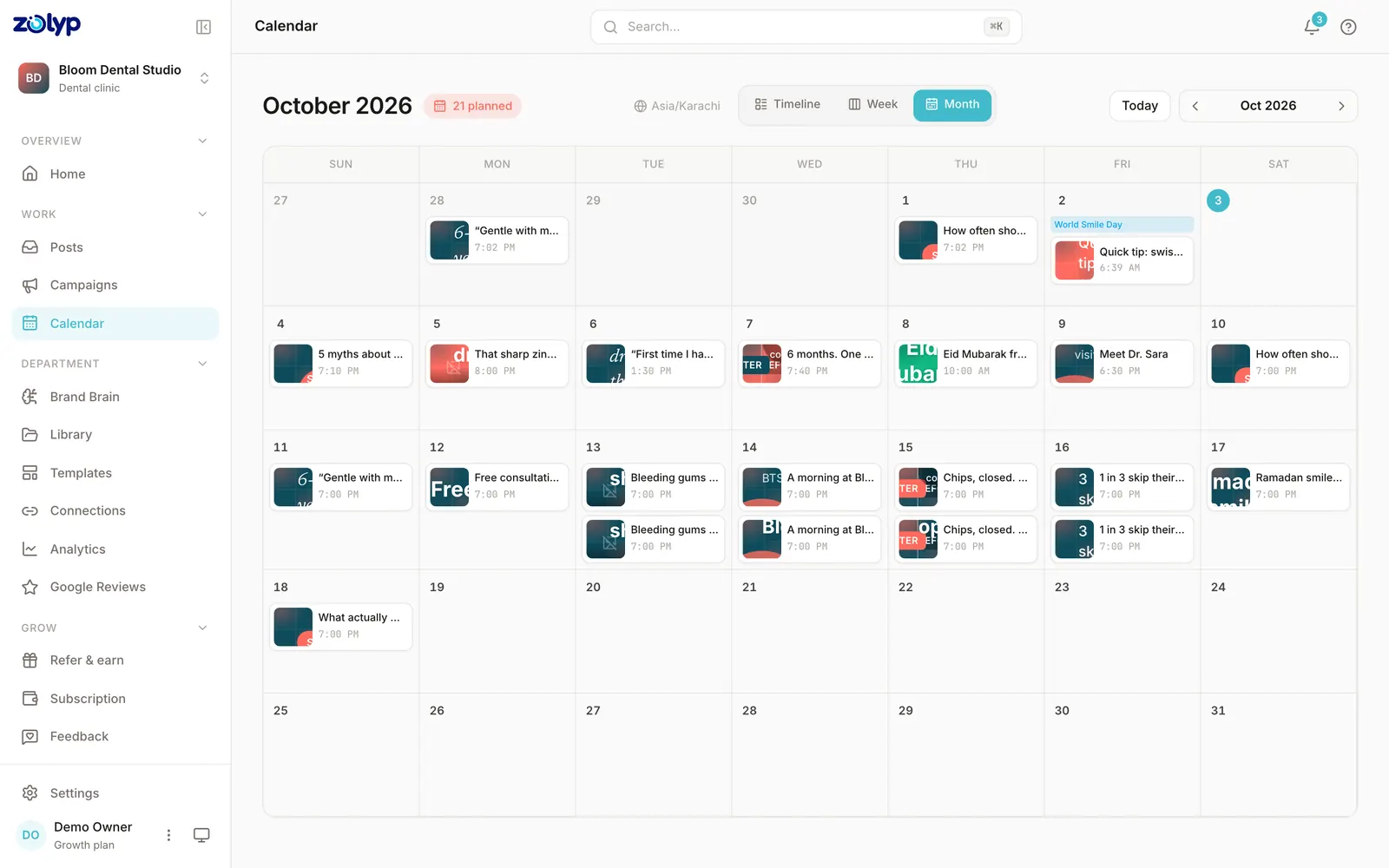
Instagram post automation, without an empty scheduler
Automation here does not mean queueing posts you still have to make. Zolyp decides what goes out, writes it, and designs it, then publishes to Instagram on the plan it built. You start in review-everything mode, and once the output earns your trust you can hand individual pillars to autopilot and keep a veto window before anything ships.
Can you schedule Instagram posts without Zolyp?
Yes. Instagram's built-in scheduler is in Meta Business Suite, on desktop or in the app. It handles the timing of posts you've already made; planning and writing them is still yours.
- How far ahead
- Not stated by Meta
- Main limit
- Professional (business or creator) accounts only
Source: Meta: Create and manage posts in Meta Business Suite, checked 2 October 2026. Step by step: how to schedule Instagram posts.
Instagram questions
Does Zolyp post to Instagram automatically?
Yes. Once your Instagram account is connected, Zolyp publishes on the schedule you approve. You start in review-everything mode and can hand off pillars to autopilot with a veto window.
Can Zolyp write Instagram captions and hashtags?
Yes. Zolyp writes the caption in your brand voice, adds relevant hashtags, and handles alt text, all pulled from your Brand Brain so it sounds like you, not a generic bot.
What Instagram formats does Zolyp support?
Reels, Stories, single photos and carousels, each with a caption built for the feed. Every visual follows your colors and logo. Instagram needs a Business or Creator account to connect.
What is the caption limit for Instagram posts?
Instagram allows up to 2,200 characters per caption. Zolyp writes and trims each Instagram post to fit, so nothing is cut off when it publishes.
Can Zolyp publish images and video to Instagram?
Zolyp publishes images (PNG, JPG, GIF) and video (MP4, MOV, up to 15 min) to Instagram. Media that breaks a rule is flagged before the post is queued, not when it fails to publish.
How many posts a day can Zolyp publish to Instagram?
Up to 50 per connected Instagram account. Zolyp checks the cap before a post is queued, so a busy week doesn't fail on the platform's side.
Can Zolyp reply to Instagram comments?
Yes. You can read, reply to, and delete comments on your Instagram posts from the post details drawer in Zolyp.
More on Instagram
- How to schedule Instagram posts: the native way and with Zolyp
- Free Instagram content calendar template: a filled month
- Free Instagram banned hashtag checker
- Write Instagram posts free with the AI post generator
- Check your Instagram caption against the 2,200-character limit
- Instagram publishing rules, limits and requirements
- Every platform Zolyp publishes to
Put Instagram on autopilot
Start free and see a week of Instagram posts planned, written, and designed before you pay anything.
Start free for 3 days