Zolyp writes short, sharp posts for X, trimmed to fit and led by the hook, then schedules and publishes them to your connected account. Every one on brand.
What Zolyp creates for X
- Short posts, or a thread when there's more to say
- Hook-first captions
- Optional on-brand image
Up to 280 characters per post.
What X allows
- Caption limit
- 280 characters
- Images
- JPG, PNG, GIF, WebP
- Max image size
- 5 MB
- Video
- MP4
- Max video length
- 2 min 20 sec
- Alt text
- up to 1,000 characters
- Posts per day
- 10 per connected account
- Comment replies
- not available from outside the app
Zolyp writes and crops to these automatically. Every platform’s rules
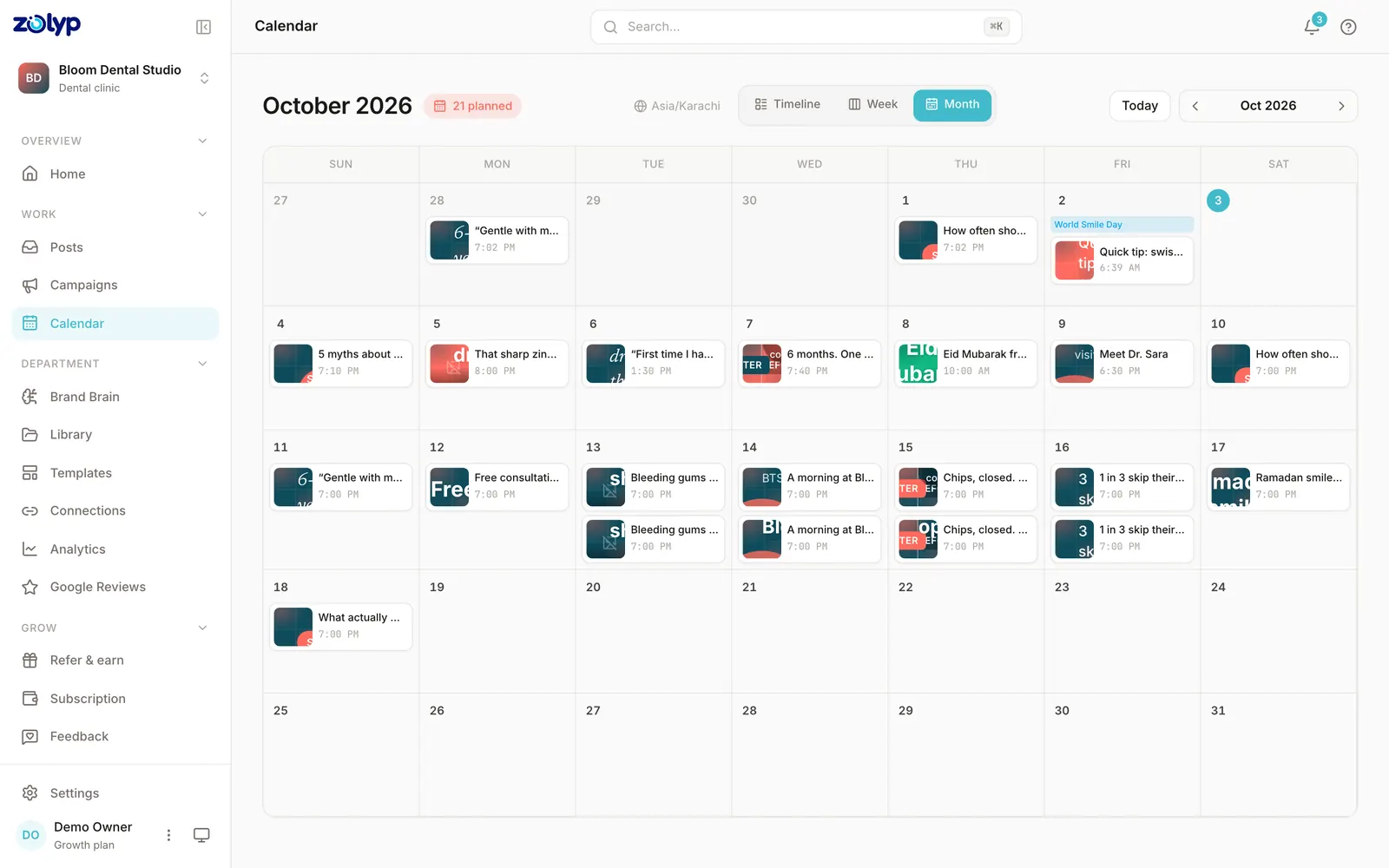
A founder turns a product update into a tight, hook-first post on X, published the moment it matters.
How it works on X
- 1
Start with an idea
Give Zolyp a topic, point it at your site, or let the plan surface one. You choose which platforms each post is for.
- 2
Zee creates the post, on brand
Working from your Brand Brain, Zolyp writes the caption and designs an on-brand visual, fitted to X. Your voice, your colors, every time.
- 3
Schedule or publish to X
Approve it, and Zolyp schedules or publishes straight to your connected X account. Hand off pillars to autopilot when you trust the output, keeping a veto window.
It stays on brand because every post pulls from Brand Brain, and it all starts in Create.
Can you schedule X posts without Zolyp?
Yes. X's built-in scheduler is in X Pro (with X Premium) or the X Ads composer, both on the web. It handles the timing of posts you've already made; planning and writing them is still yours.
- How far ahead
- Not stated by X
- Main limit
- Not documented in X's mobile apps; longer posts can't be scheduled on web
Source: X Help Center: Scheduled Posts, checked 3 October 2026. Step by step: how to schedule X posts.
X questions
Does Zolyp publish to X automatically?
Yes. Connect your account and Zolyp publishes on your approved schedule, with a veto window before anything goes live.
Can Zolyp fit a post to X's character limit?
Yes. Zolyp trims each post to fit and puts the hook in the first line, so it works within X's limit without losing the point.
Can I put a link in an X post?
No. X removes links from posts and replies sent this way, so put the link in your bio or on another platform.
Will X posts match my brand voice?
Yes. Even short, Zolyp writes from your Brand Brain, so an X post sounds like your brand and not a generic auto-post.
What is the caption limit for X posts?
X allows up to 280 characters per caption. Zolyp writes and trims each X post to fit, so nothing is cut off when it publishes.
Can Zolyp publish images and video to X?
Zolyp publishes images (JPG, PNG, GIF, WebP, up to 5 MB) and video (MP4, up to 2 min 20 sec) to X. Media that breaks a rule is flagged before the post is queued, not when it fails to publish.
How many posts a day can Zolyp publish to X?
Up to 10 per connected X account. Zolyp checks the cap before a post is queued, so a busy week doesn't fail on the platform's side.
Can Zolyp reply to X comments?
Not yet. Zolyp's comment tools cover Instagram, Facebook, YouTube, LinkedIn, Threads, TikTok, so X comments are answered in X itself.
More on X
Put X on autopilot
Start free and see a week of X posts planned, written, and designed before you pay anything.
Start free for 3 days