Published by the Zolyp team, reviewed by Hammas Ali, Founder & CEO · · Updated · How we check facts
Where do you find Instagram Insights?
For a single post or reel, tap View insights under it. For a story or live video, open it and swipe up. Tap the (i) in the top right of an insights screen for Instagram's definition of each metric.
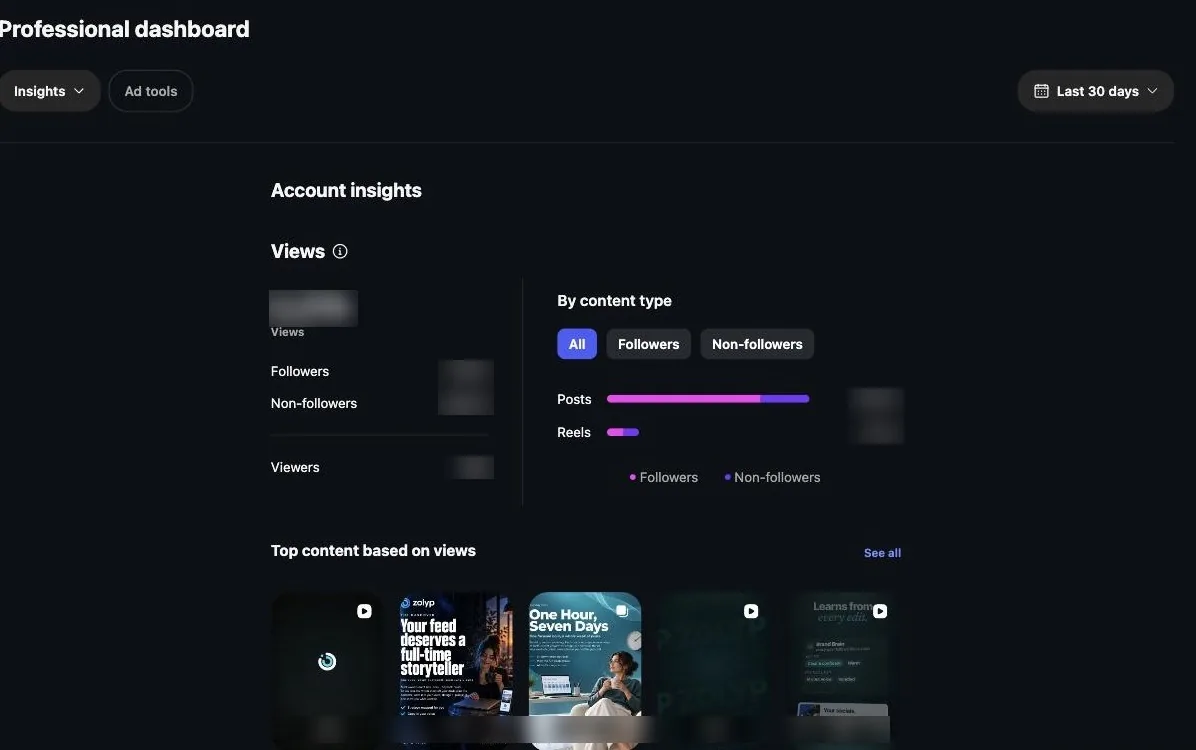
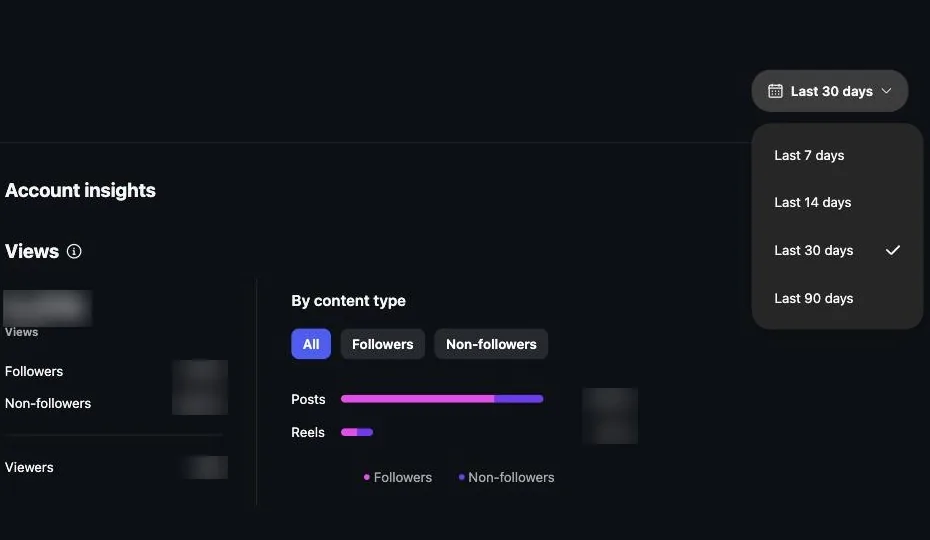
On a computer, go to instagram.com, select Dashboard in the left-hand menu, then select Insights below For professionals (Your dashboard below Your insights and tools on a personal account). Use the Insights dropdown to choose Account or Content, and the date dropdown to pick 7, 14, 30 or 90 days or a custom range.
- Tap Profile or your profile picture in the bottom right.
- Tap Professional dashboard (or Your dashboard on a personal account).
- If you don't see it, tap More to open Settings and activity, then tap Insights below For professionals (or Your dashboard below Your insights and tools).
- You'll see Views, Interactions, New followers and Content you shared. Tap one to see more detail.
- To change the dates, tap the insight you want, tap the dropdown and choose Last 7 days, Last 14 days, Last 30 days, Previous month or Last 90 days. Or choose a custom range of at least one day, within the past 90 days, then tap Update.
Sources: Instagram Help Centre: View account and content insights on Instagram, checked 20 October 2026; Instagram Help Centre: About Instagram insights, checked 20 October 2026; Instagram Help Centre: About Instagram dashboards, checked 20 October 2026
Who can see Instagram Insights?
Any public account, personal or professional. If you switch to private you lose access, but you get past data back if you go public again within 90 days. A professional account adds the professional dashboard, with ad tools and insights on monetisation, and boosted content gets ad insights such as goal results, cost per ad goal and spend. Audience demographics (top countries, cities, ages and gender) appear once your content reaches or engages more than 100 accounts, and only on the preset date ranges.
Sources: Instagram Help Centre: View account and content insights on Instagram, checked 20 October 2026; Instagram Help Centre: About Instagram dashboards, checked 20 October 2026; Instagram Help Centre: About Instagram insights, checked 20 October 2026
What do the main metrics mean?
Instagram's own definitions, from its help centre:
| Metric | What it counts |
|---|---|
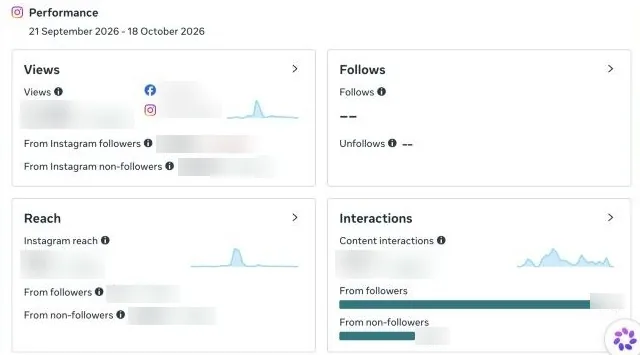
| Views | How many times your content was played or displayed, across reels, posts, stories, live videos and ads. Repeat views count |
| Viewers | Unique accounts that saw your content on screen at least once, with their top countries, cities, ages and gender |
| Interactions | Actions people took on your content, such as likes, comments, saves and shares |
| Accounts engaged | Unique accounts that interacted with your content. For posts, stories and live this is split into followers and non-followers |
| Total followers | Growth, top locations, age range and most active times, once you have at least 100 followers |
| Content you shared | How many posts, stories and reels you shared in the period, with a link to the content library to filter them all |
Source: Instagram Help Centre: About Instagram insights, checked 20 October 2026
What is the difference between views and viewers?
Views counts every time your content was played or displayed, so one person watching a reel three times adds three views. Instagram says views for reels can include multiple views by the same accounts, which is why views can be higher than viewers.
Viewers counts people: unique accounts that saw the content on screen at least once. For reels, that includes people who saw the reel on screen even if it didn't play. Use views to see how much your content was watched, and viewers to see how many different people you reached.
Instagram labels viewers and accounts engaged as estimated and in development, and says views is being introduced gradually, so you may not see it yet. Treat small week-to-week changes with caution.
Sources: Instagram Help Centre: About Instagram insights, checked 20 October 2026; Instagram Help Centre: View insights on your Instagram reels, checked 20 October 2026
Which reel metrics matter?
To open them, go to your profile, tap Reels, tap the reel and tap View insights. Reel insights cover reels posted on or after 14 May 2021 and stay available for up to two years after publishing.
- Views: the number of times the reel starts to play or replay
- Watch time: total time the reel was played, replays included
- Average watch time: watch time divided by initial views, which shows how long people stay
- Viewers: unique accounts that saw the reel on screen, whether or not it played
- Follows: accounts that started following you as a result of viewing the reel
Source: Instagram Help Centre: View insights on your Instagram reels, checked 20 October 2026
How should a small business use Insights?
Our suggestions, not Instagram's, for turning the numbers into next week's plan:
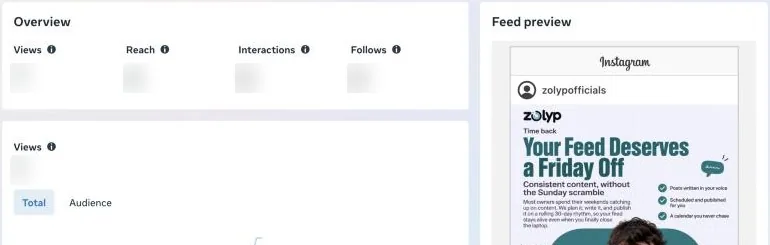
- Look at the last 30 days, not single days. Pick the three posts with the most shares and saves and ask what they have in common
- Compare average watch time between reels. A reel people stay with is worth repeating in format, even if its views were modest
- Check accounts engaged split by followers and non-followers to see which posts reach new people
- Use your followers' most active times as a starting point for posting times, then test
- Ignore one-off spikes. Repeat what seems to work a few times before deciding it works
Reading the numbers without the dashboard
Disclosure: this is our product. Zolyp's Analyze feature turns the numbers Instagram makes available for your connected account into a short written report: what landed, what didn't, and one or two changes for next week. History starts when you connect, with no backfill from before. There's a 3-day free trial, no card needed.
Common questions
Do I need a business account to see Instagram Insights?
No. Any public account, personal or professional, can see insights. A professional account adds the professional dashboard and ad tools.
How far back do Instagram Insights go?
The insights overview covers any period within the past 90 days, with preset or custom ranges. Reel insights stay available for up to two years after publishing.
What is the difference between views and viewers?
Views counts every play or display, including repeats by the same person. Viewers counts unique accounts that saw the content at least once.
Why can't I see audience demographics?
Demographics need your content to reach or engage more than 100 accounts and only show on preset date ranges. Try Last 30 days, Previous month or Last 90 days.
How do I see insights for one post?
Tap View insights under the post or reel. For a story or live video, open it and swipe up. Tap the (i) on any insights screen for the definition of each metric.
Can I see Instagram Insights on a computer?
Yes. On instagram.com, select Dashboard in the left-hand menu, then Insights, and choose Account or Content.